Caregivers
Add a caregiver, choose the services they can perform and the area they cover, then give them an account for the Alivio mobile app.
Add the caregiver
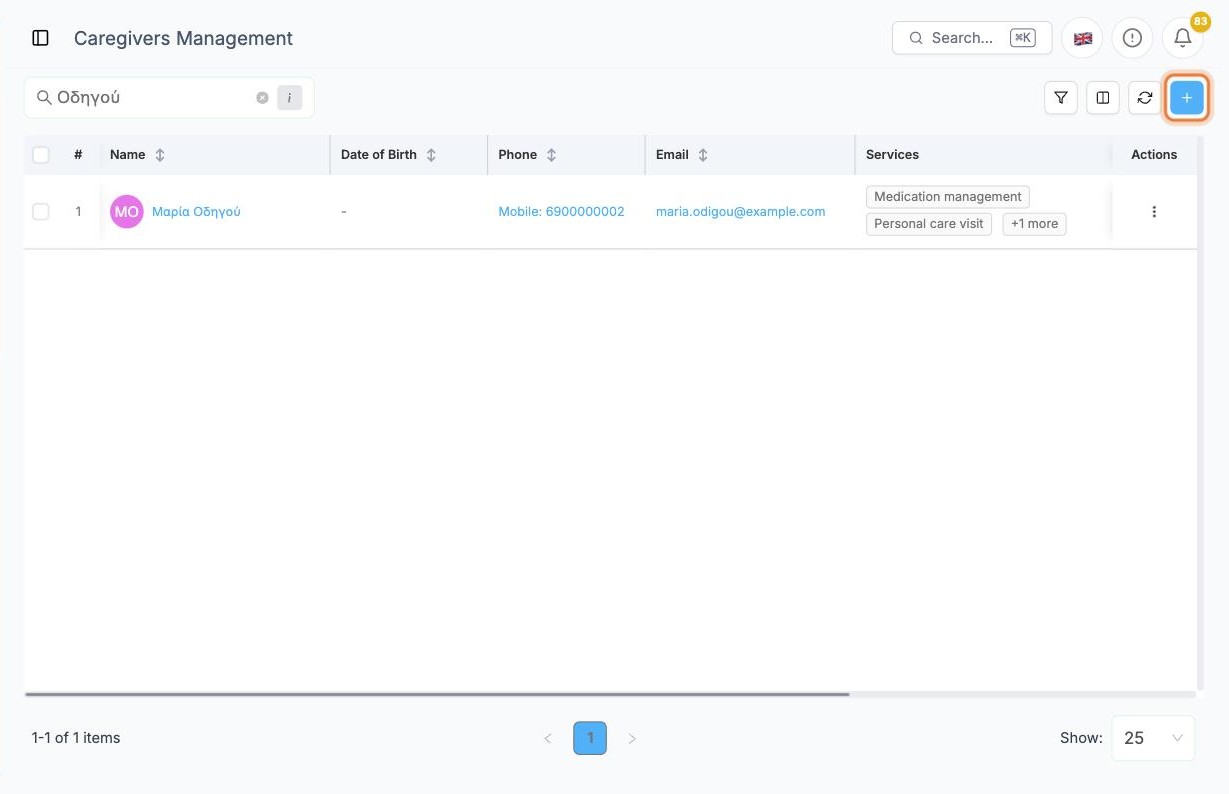
In the side menu open Team › Caregivers and click + at the top right.
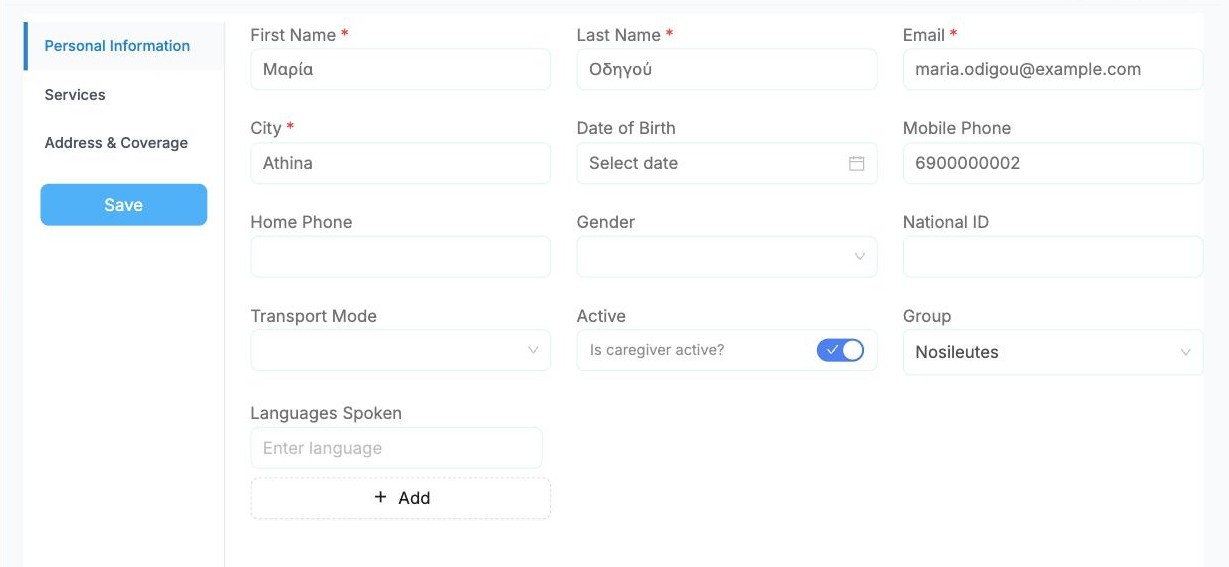
On Personal Information, fill in the required fields: First Name, Last Name, Email and City.
Also set:
- Mobile Phone, so the office can reach them
- Active: switch it on, or the caregiver won't be offered for visits
- Group, if your agency groups its caregivers (for example by team or area)
Services they can perform
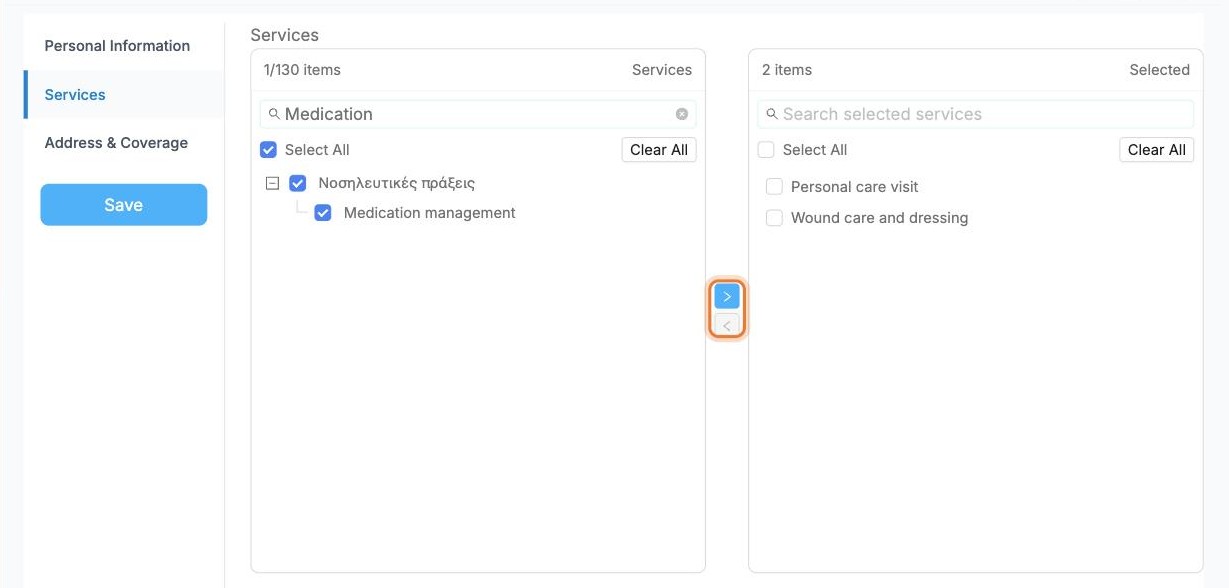
Open the Services tab. On the left are all your services, and on the right the ones this caregiver performs.
- Search for a service on the left.
- Tick it.
- Click the › arrow to move it to the right.
To remove a service, tick it on the right and click ‹.
TIP
When you assign visits, Alivio only offers caregivers who perform that visit's service. If a caregiver is missing from the scheduling board, check this tab first.
Address and coverage
Open Address & Coverage. Search for the caregiver's home address in Search Address and pick it from the list.
Set Travel Radius (km), how far they are willing to travel. The circle on the Coverage Map shows the area. You can also list specific neighbourhoods under Coverage Areas.
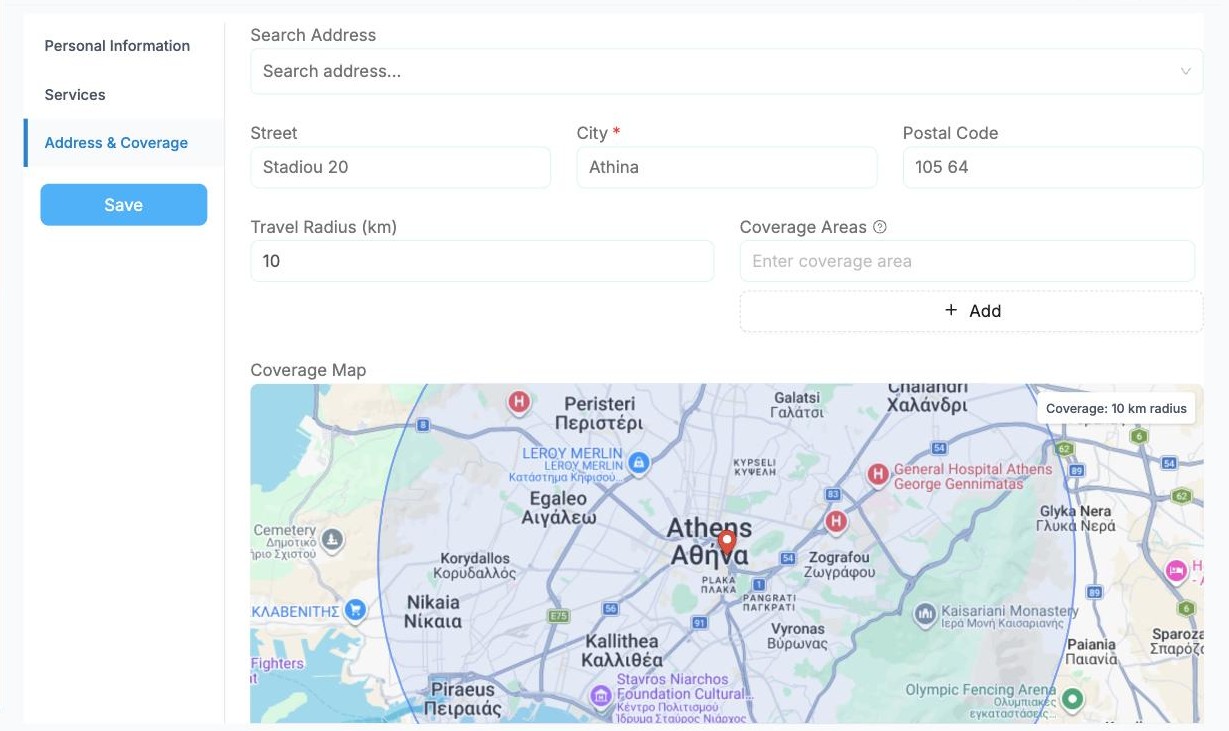
Click Create to save the caregiver.
Give the caregiver an app account
Caregivers sign in to the Alivio mobile app with their own account. Creating the caregiver does not create the account, so do this next.
In the caregivers list, click ⋮ on the caregiver's row and choose Create User.
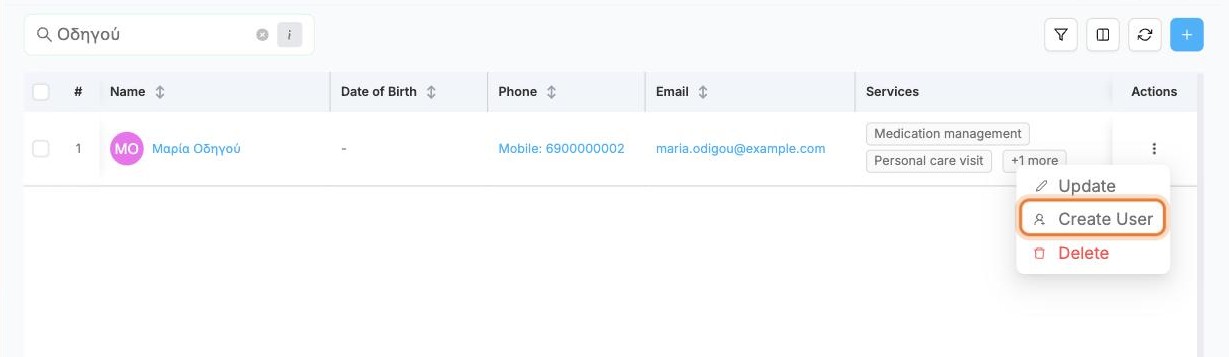
Check the name and email, then click Create User. The account uses the caregiver's email, so make sure it is correct.
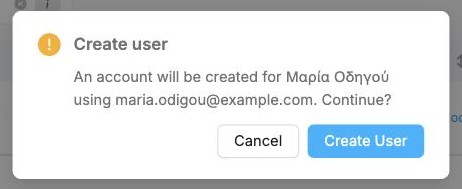
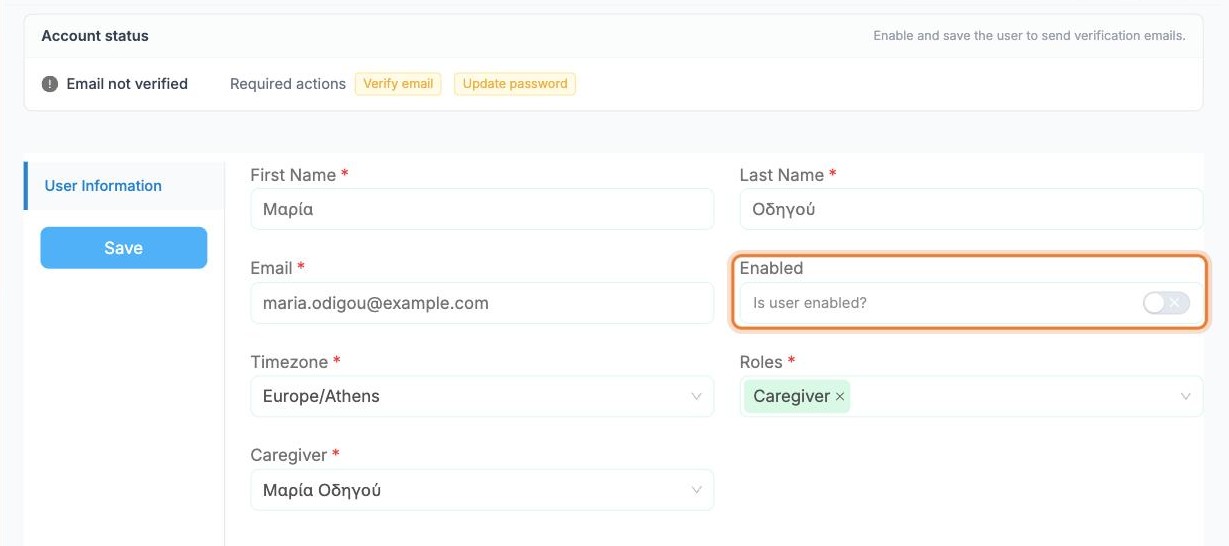
Alivio opens the new account. It already has the Caregiver role and is linked to the caregiver, but it starts switched off.
Switch Enabled on and click Save. The caregiver then receives an email to verify their address and set a password.